

Odoo has no OAuth redirect. Instead of sending the merchant to an authorization page, your application collects four fields directly (either via the Link component or your own form) and Sync2Books validates them synchronously against the merchant’s Odoo server.
Prerequisites
- ✅ Sync2Books account — An active Sync2Books account with the Odoo integration enabled for your application
- ✅ A running Odoo instance — Self-hosted, Odoo.sh, or Odoo Online. Sync2Books doesn’t provision one for you
- ✅ Network reachability — Sync2Books’ servers must be able to reach the merchant’s Odoo
urlover HTTPS. If Odoo sits behind a firewall or VPN with no public ingress, the merchant needs to allowlist Sync2Books’ egress IPs first
What the merchant needs to provide
Finding the database name
- Odoo Online (odoo.com): the database name is almost always the subdomain chosen at signup —
my-company.odoo.com→ databasemy-company. - Self-hosted / Odoo.sh: visit
<odoo-url>/web/database/selectorto list all databases on that server. If there’s only one, Odoo may skip straight to login — the merchant’s Odoo admin can find it inodoo.conf’sdb_nameline. This is also the screen where the database name is chosen, the first time a self-hosted instance is set up: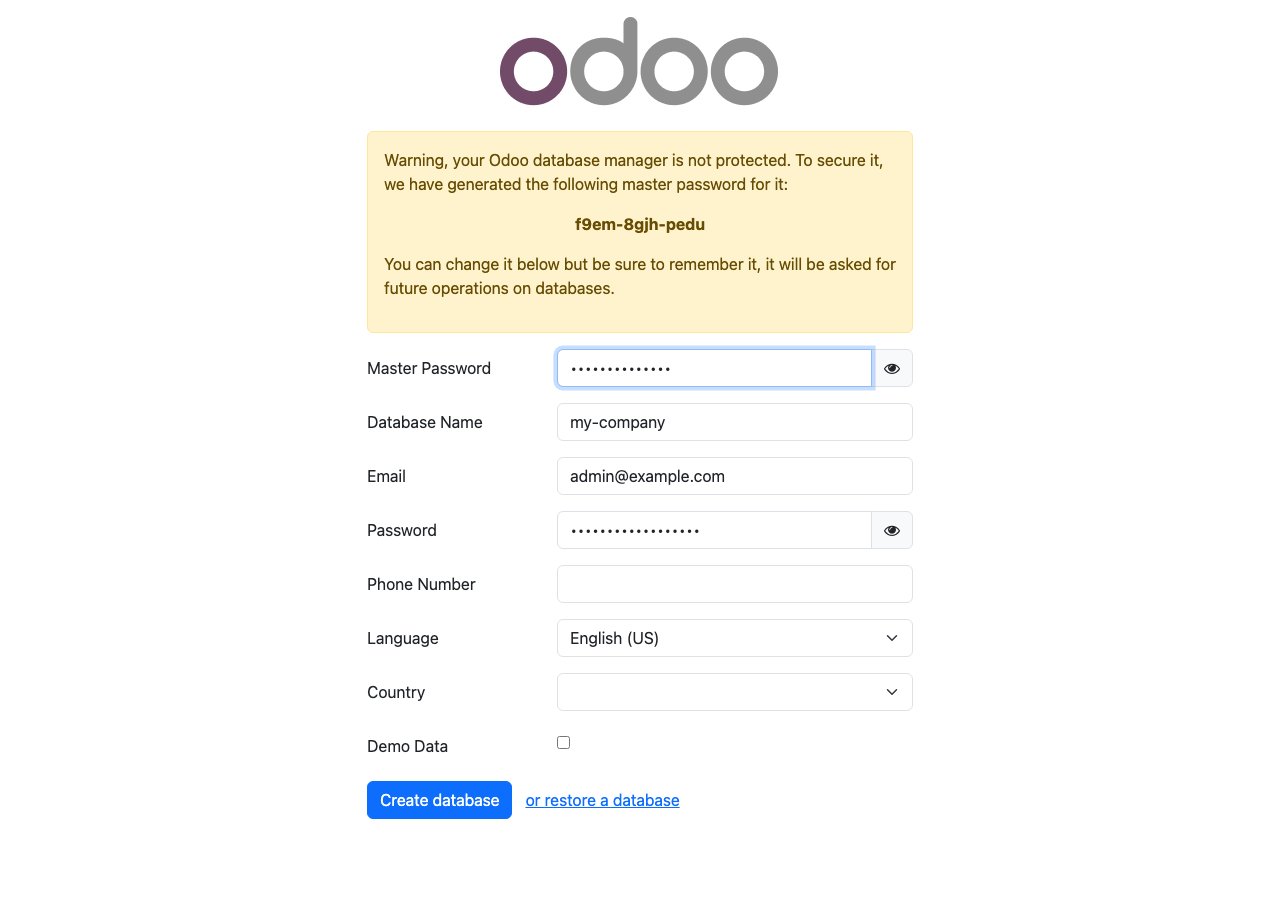
Generating an API key
This is self-service inside Odoo — no admin/IT involvement needed once the merchant is logged in.1
Open the account menu
Click the profile icon (top-right) → Preferences. 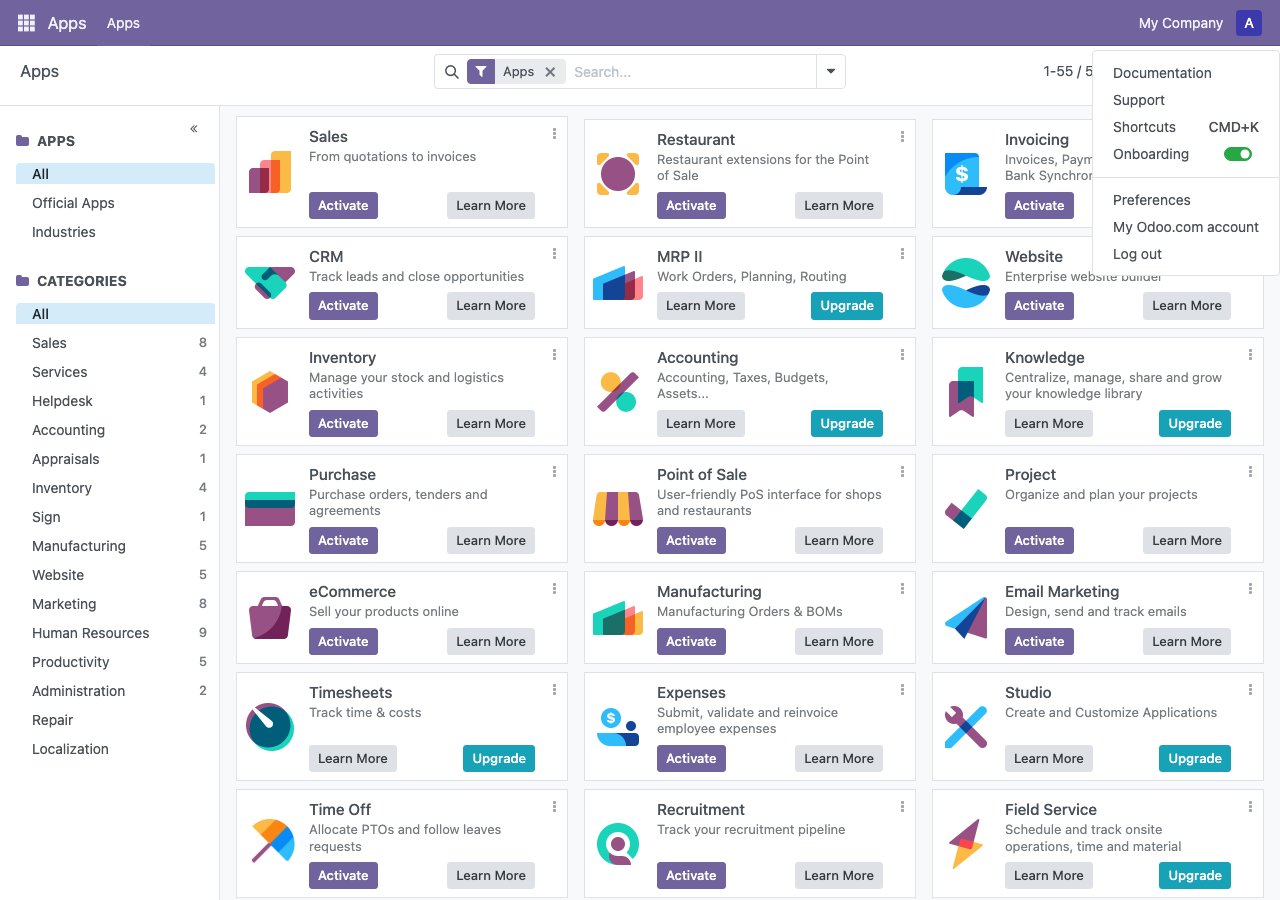
2
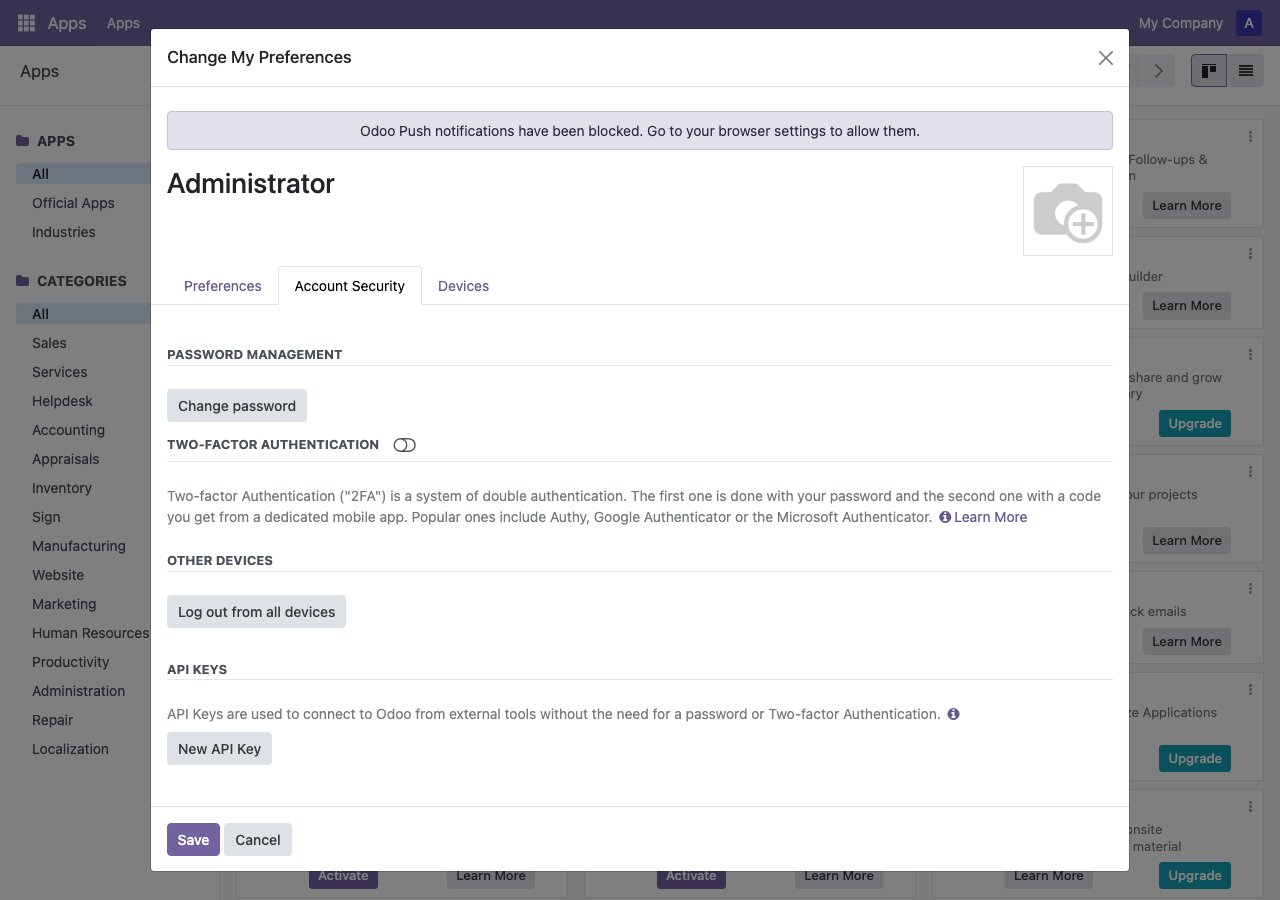
Account Security → New API Key
3
Confirm password
Odoo re-asks for the password before generating a key — this is expected. 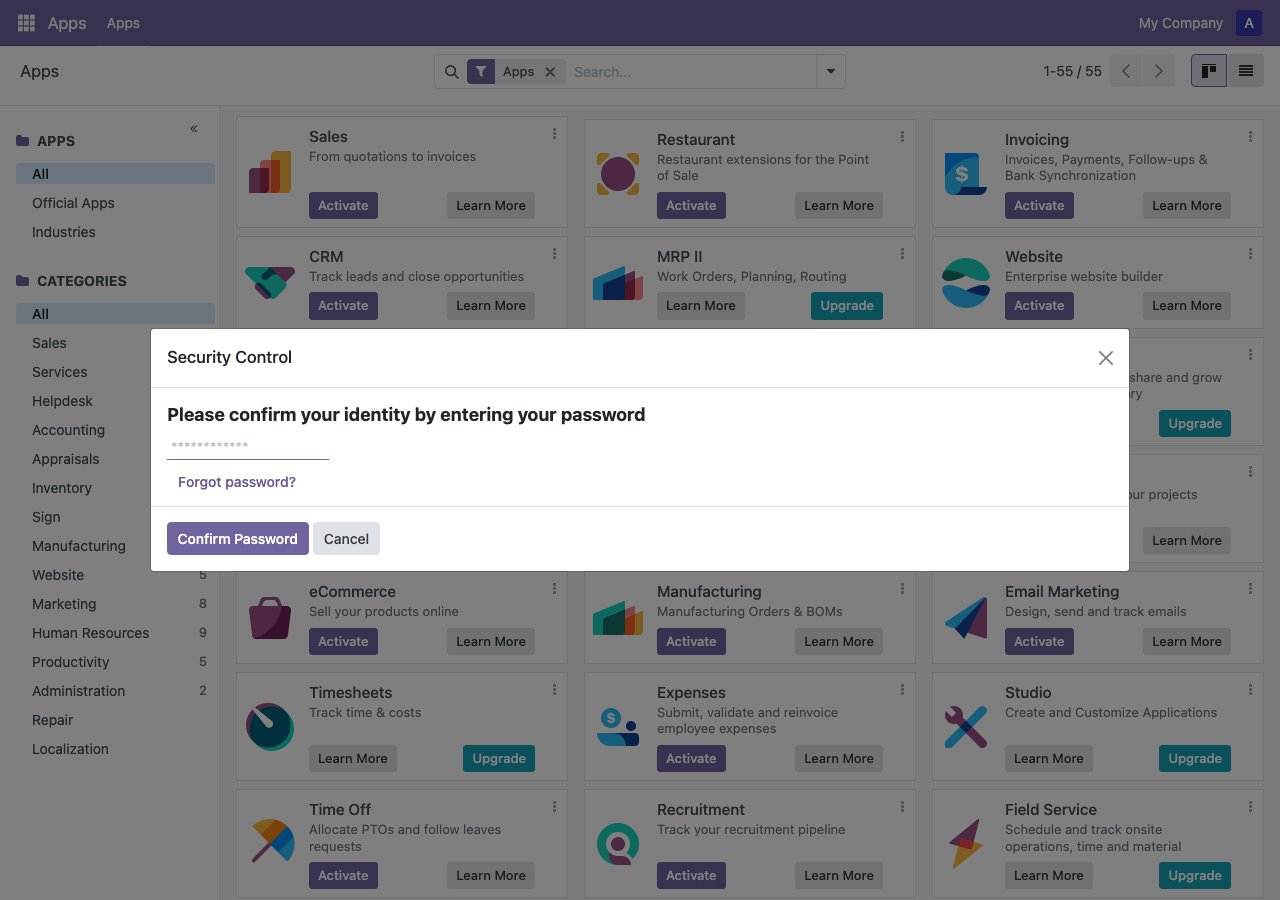
4
Name the key and set an expiry
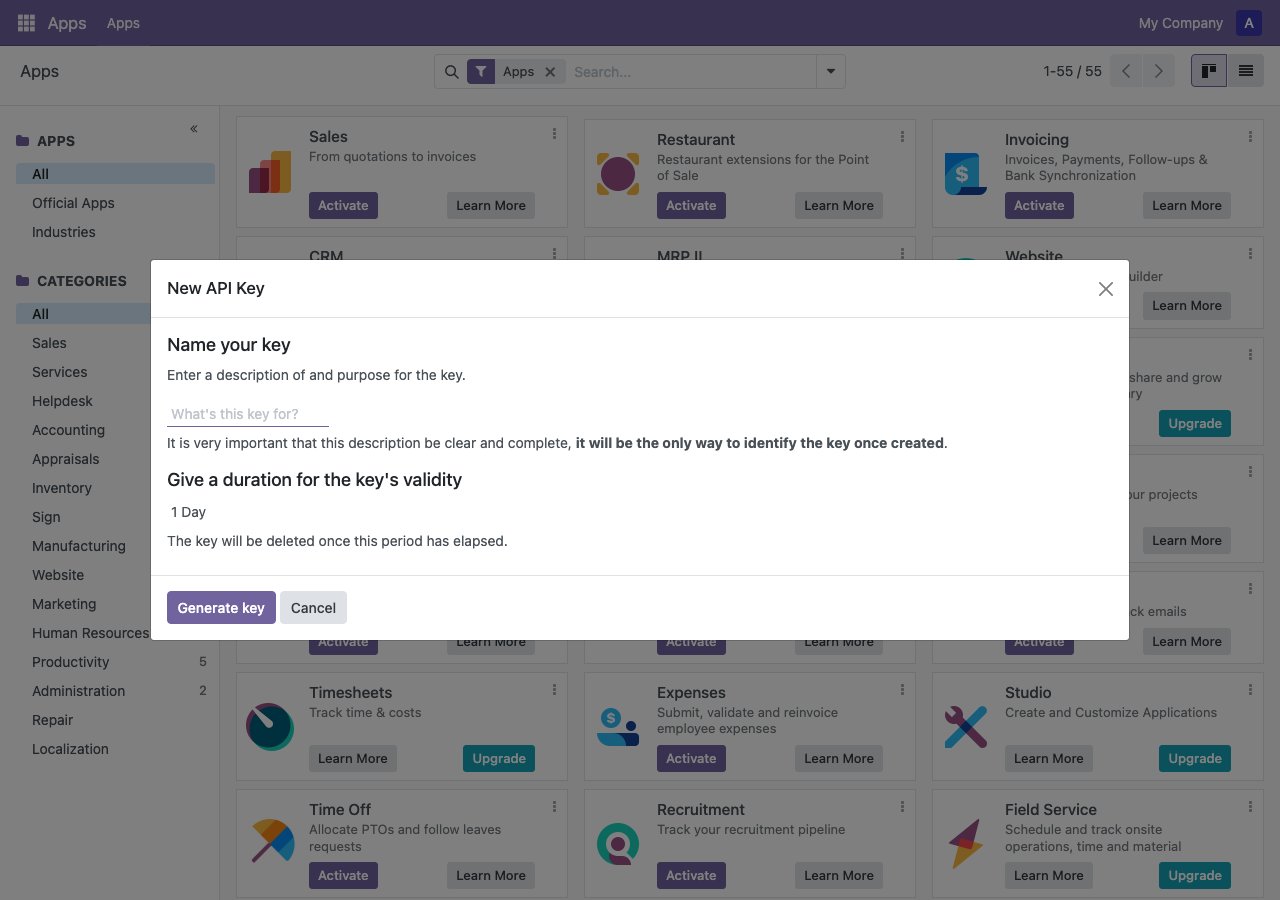
5
Copy the key immediately
Odoo shows the key exactly once. If the dialog is closed without copying it, there’s no way to view it again — the merchant would have to delete the key and generate a new one. 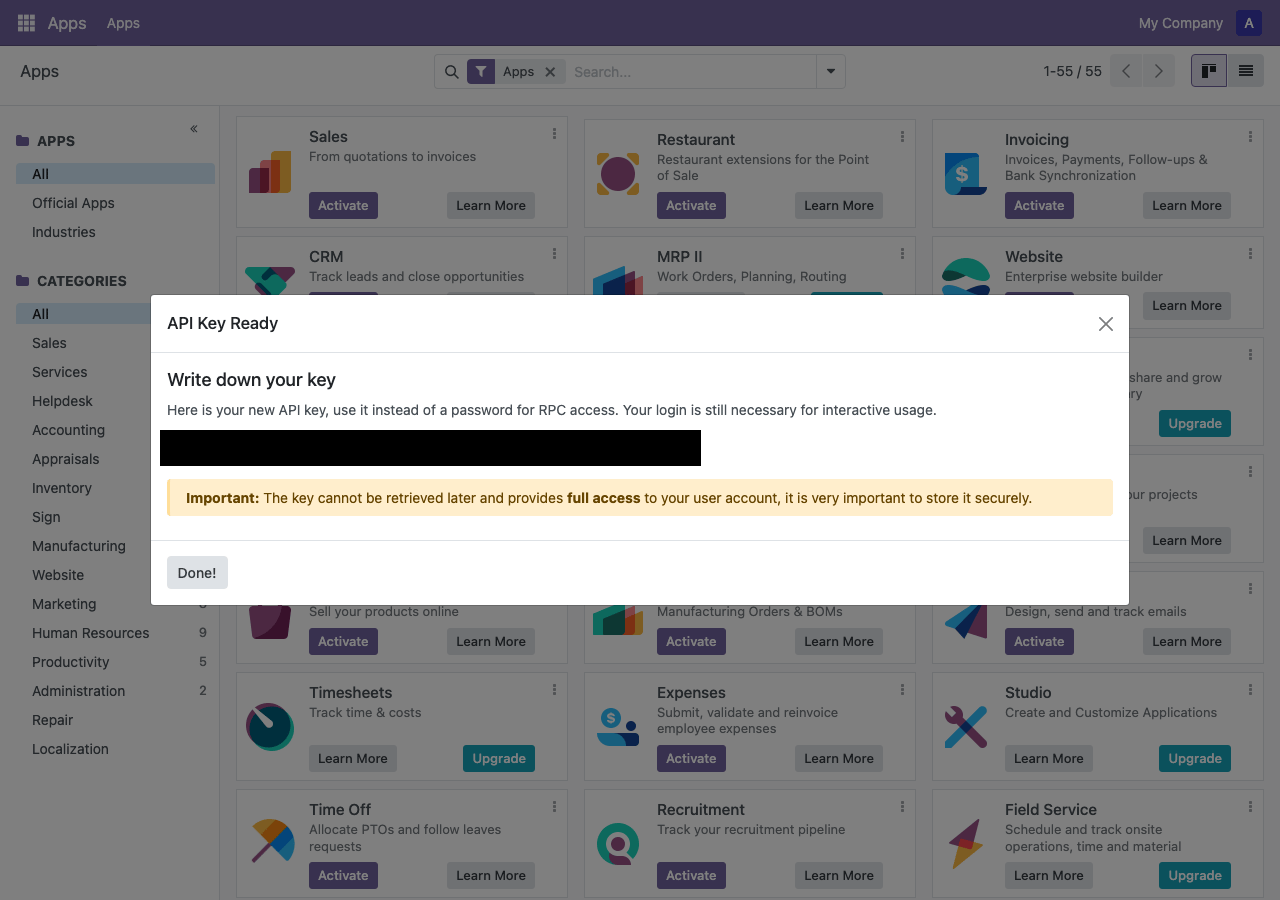
Connect a company
Once you have all four fields, connect the company directly — no auth-URL / redirect step like the OAuth integrations.201 with status: "connected" means Sync2Books already validated the credentials against Odoo — there’s nothing further for the merchant to do. A 401 means Odoo rejected the credentials (wrong database, expired key, or wrong password re-entry) — see Odoo FAQs for the most common causes.
Reconnecting
If a merchant’s API key expires or is regenerated, call the same endpoint again with an optionalconnectionId to update the existing connection instead of creating a new one:
Verify the connection
integrationKey: "odoo" and status: "connected".
Read next
- Odoo overview - Learn about the integration
- Odoo integration reference - API reference
- Odoo FAQs - Common questions